On this page
Most technical SEO audits fail the same way. They dump every crawler warning into a spreadsheet and call it strategy. You need a checklist that separates what blocks discovery from what is noise, then a clear call on what to fix first.
This guide walks through a practical technical SEO audit checklist for 2026: crawl and robots, indexation, Core Web Vitals, on-page structure, schema, international signals, and what “AI search readiness” actually means. It also covers when a free DIY pass is enough and when a paid audit is worth buying.
What a technical SEO audit is (and is not)
A technical SEO audit is a structured review of how search engines discover, render, and index your URLs. It answers: can Google reach the money pages, understand them, and keep them in the index without competing duplicates?
It is not keyword research, content strategy, or link building. Those matter, but they sit on top of crawl and indexation. If important templates are noindexed, soft 404ing, or buried behind broken redirects, more blog posts will not save the quarter.
Key takeaway: Treat the audit as diagnosis and prioritization. Rankings are an outcome of fixes plus content and links, not a deliverable of the PDF itself.
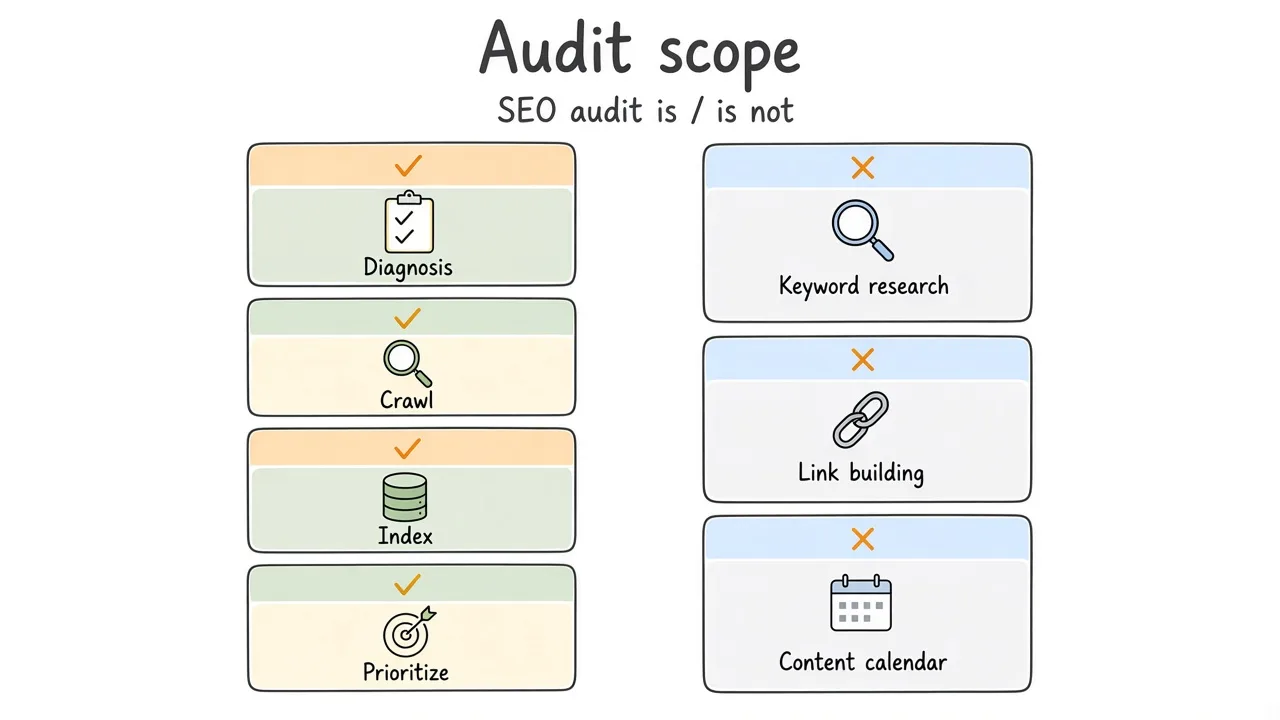
Audit scope stays on crawl, index, and prioritization. Content and links come after the foundation is clear.
How to use this checklist
Work one primary domain (and agreed subdomains) at a time. Prefer Google Search Console coverage and experience reports when you have access. Pair that with a crawl (Screaming Frog, Sitebulb, or similar) and spot checks in a clean browser profile.
Score each item as pass, fail, or needs sampling (large catalogs). Failures get severity: blocks money pages, wastes crawl, or cosmetic.
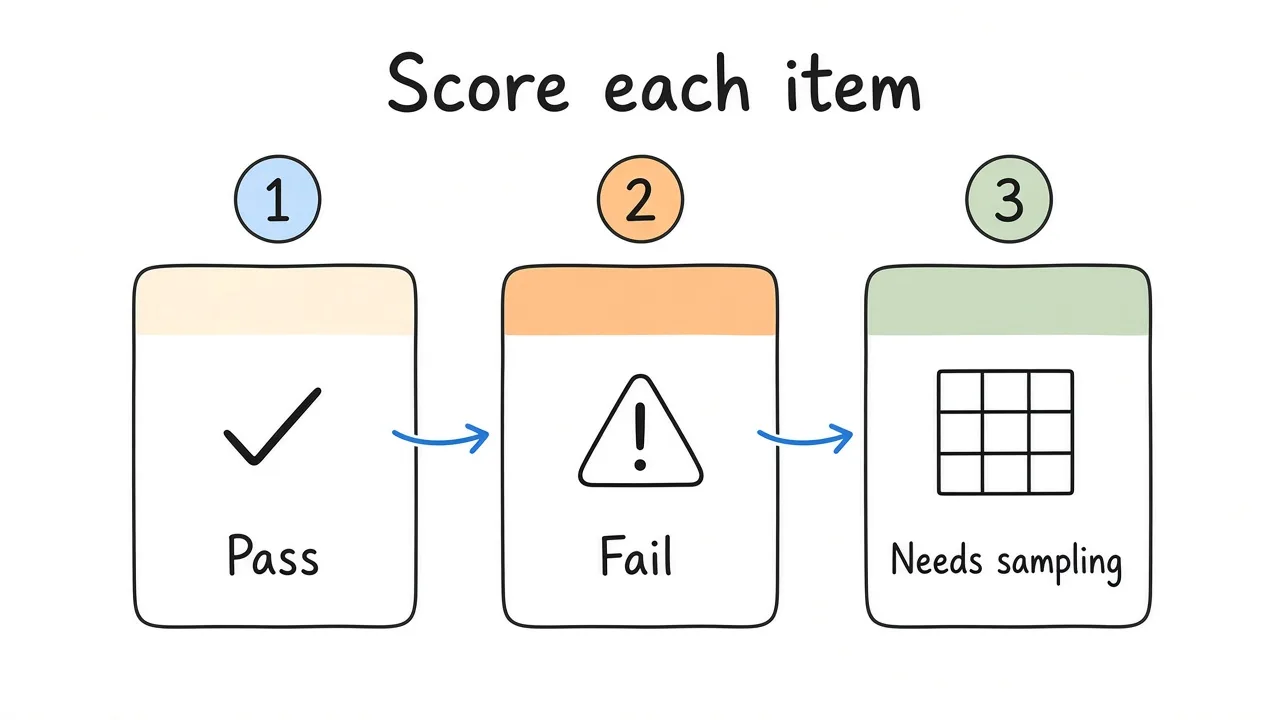
Score items with severity so the backlog is shippable, not a dump of every crawler warning.
1. Crawl access and robots
Start with whether bots are allowed to fetch what matters.
- Confirm
robots.txtdoes not block CSS, JS, or key directories that should be indexed. - Check for accidental
Disallowon staging paths that somehow still resolve on production. - Verify XML sitemaps are listed, return 200, and only include canonical, indexable URLs.
- Compare sitemap URL count to indexed URL count in Search Console. Large gaps need a reason.
- Sample crawl from an external IP. Hosting firewalls and bot fights sometimes block Googlebot while looking fine from your laptop.
Common mistake: Blocking
/wp-adminis fine. Blocking/wp-jsonor entire/cdn-cgi/paths without understanding what they serve is how soft failures hide.
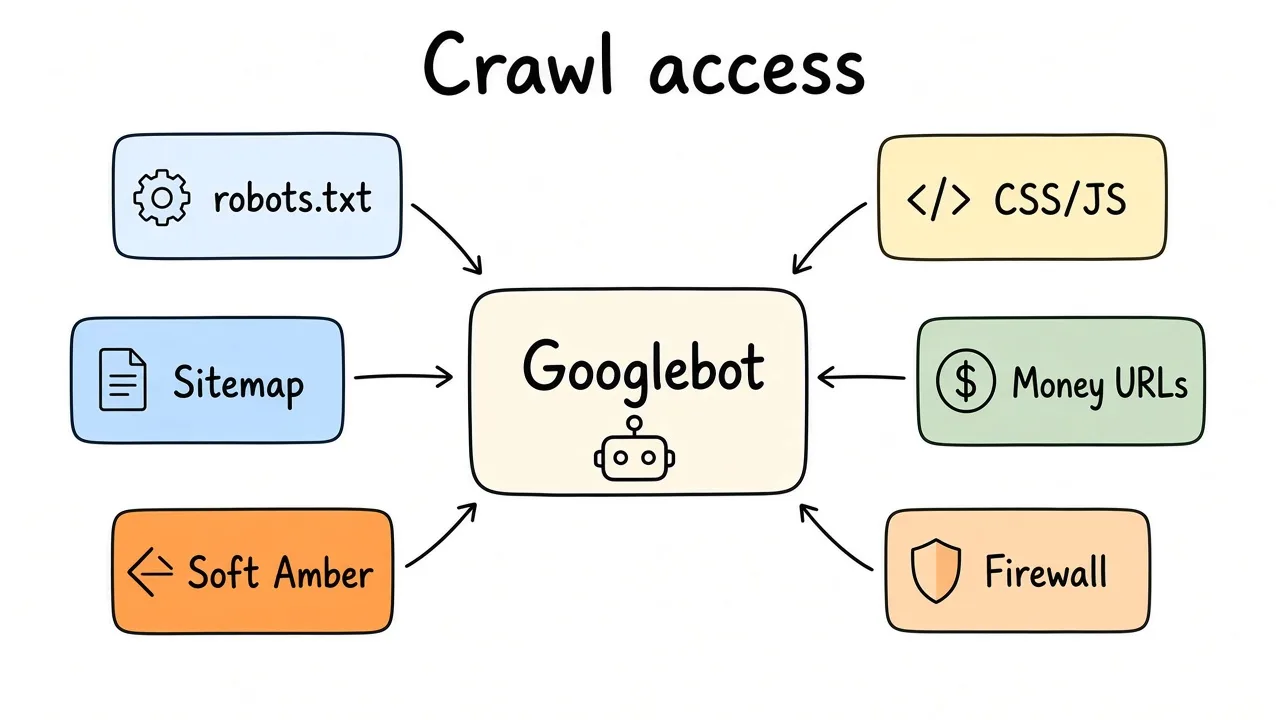
If bots cannot fetch the money templates, the rest of the audit is theater.
2. Indexation and canonicals
Crawl access is useless if the wrong URLs win.
- Spot-check money pages with
site:and the URL Inspection tool. Confirm “URL is on Google” when it should be. - Review noindex on templates that must rank (category, product, location, docs).
- Map near-duplicates: HTTP vs HTTPS mixes, www vs non-www, trailing slash variants, parameter copies, print views.
- Confirm self-referencing or correct
rel=canonicalon the templates that matter. Faceted navigation often needs an explicit strategy, not hope. - Soft 404s: thin “no results” pages returning 200, empty tag archives, and placeholder CMS shells.
- Pagination and infinite scroll: ensure a crawlable path to deep items still exists.
| Signal | Healthy pattern | Red flag |
|---|---|---|
| Canonical | Points at the preferred money URL | Points at a parameter or outdated path |
| Status | 200 for indexables | Soft 404 content on 200 |
| Sitemap | Matches preferred URLs | Includes redirects and noindexed URLs |
| Hreflang | Reciprocal where used | One-way or wrong language codes |
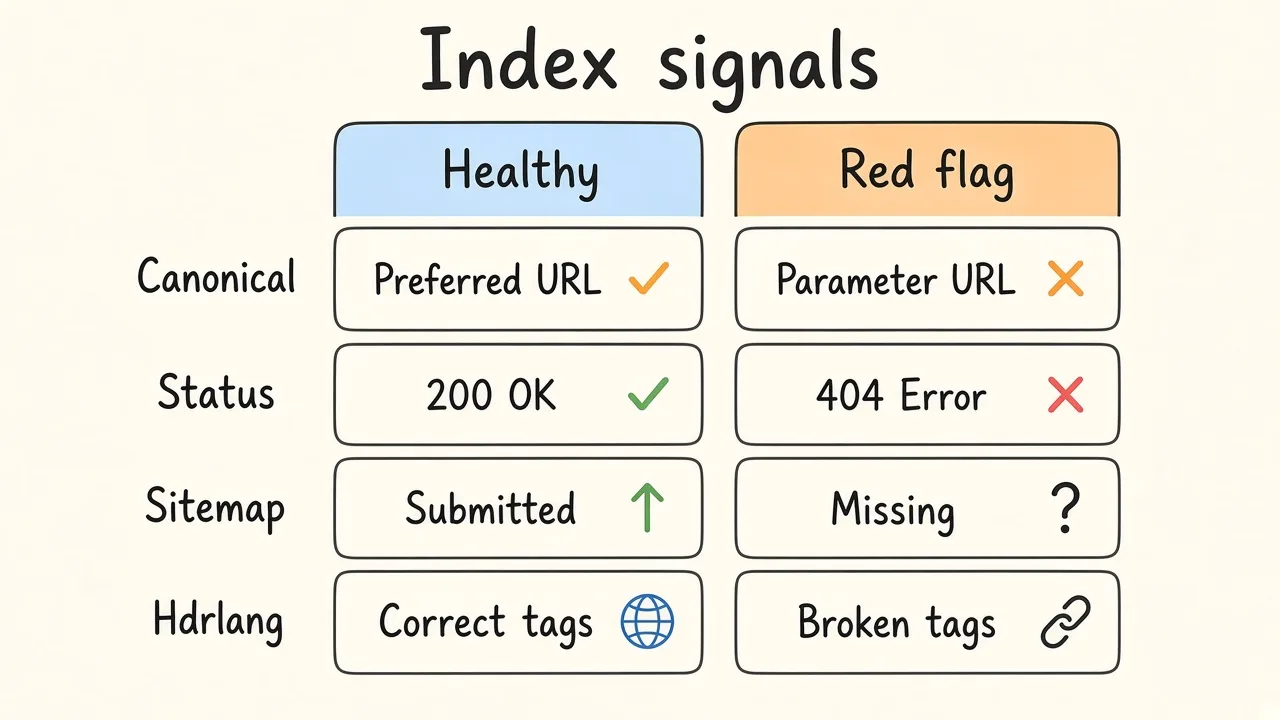
Canonical, status, sitemap, and hreflang should point at the preferred money URLs, not parameter copies.
3. Rendering and Core Web Vitals
Google’s systems use page experience signals. Field data from real users beats a single Lighthouse screenshot.
- Pull Core Web Vitals from Search Console and CrUX where available.
- Lab-test key templates (home, listing, article, product, checkout if public).
- Note LCP element: hero image, web font block, or late client render.
- Note CLS sources: injected banners, late ads, unsized media.
- Note INP issues on interactive templates (filters, menus, carts).
- Heavy third-party scripts: tag managers, chat widgets, A/B tools. Measure cost, do not guess.
Best practice: Fix the template class, not one viral URL. One product template can destroy CWV for thousands of pages.
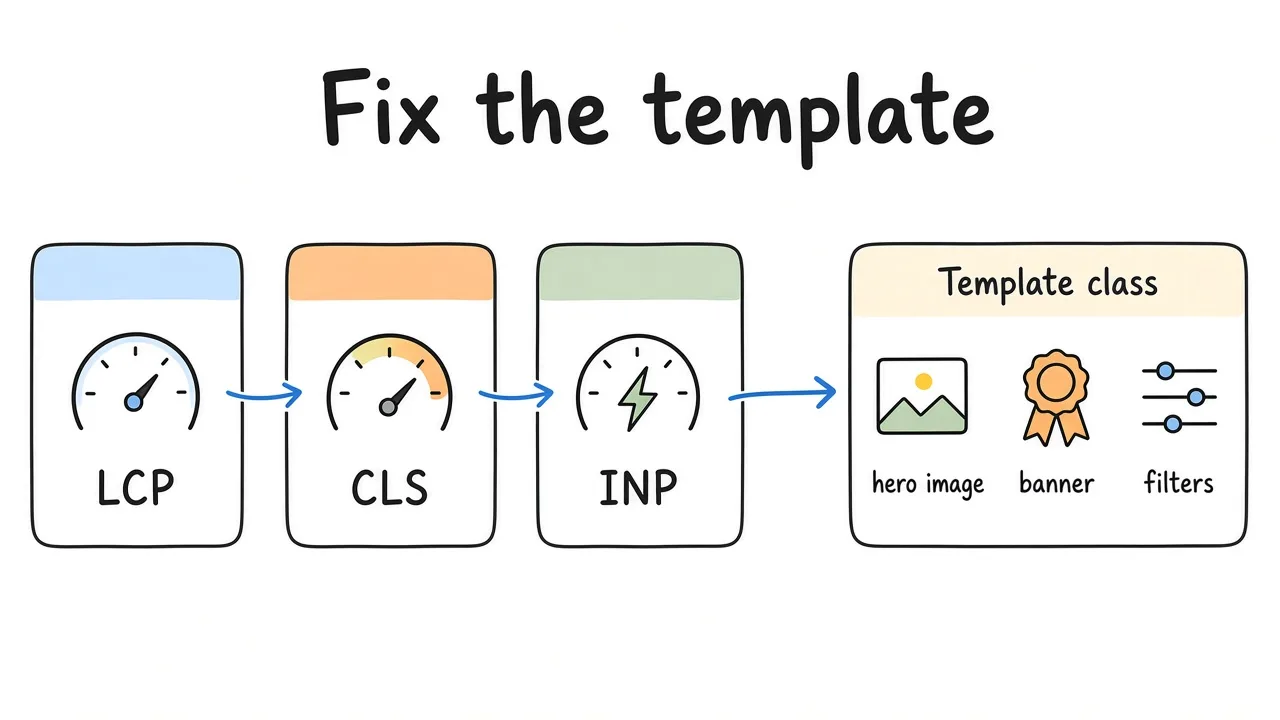
Core Web Vitals belong to the template. Field data beats one lucky Lighthouse screenshot.
4. On-page structure and internal links
Technical SEO includes whether the HTML is understandable.
- Unique, accurate title tags on money templates. No keyword stuffing.
- One clear H1 that matches the page job.
- Heading hierarchy that mirrors the content, not a design accident.
- Internal links from hubs to money pages. Orphan URLs found only in sitemaps are a smell.
- Thin or near-empty templates that compete with richer siblings.
- Broken links and redirect chains on primary navigation and footer.
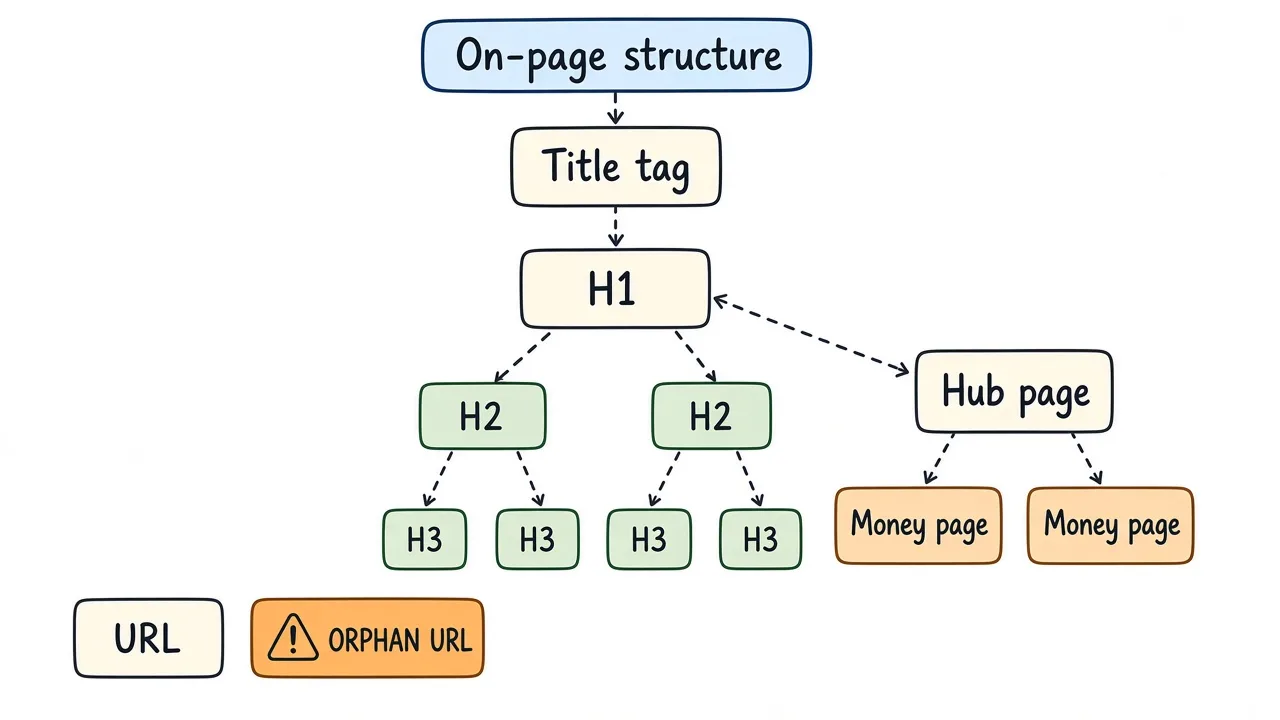
Heading hierarchy and hub-to-money links matter as much as the crawl itself.
5. Structured data and rich results
Schema does not rank you by magic. It can clarify entities and unlock rich results when it matches visible content.
- Validate with Google’s rich results tools and Search Console enhancement reports.
- Prefer types you can support honestly: Article, Product, FAQ, Organization, BreadcrumbList.
- Remove conflicting or outdated JSON-LD left from old themes and plugins.
- Keep markup aligned with what users see. Fake FAQ schema is a trust problem.
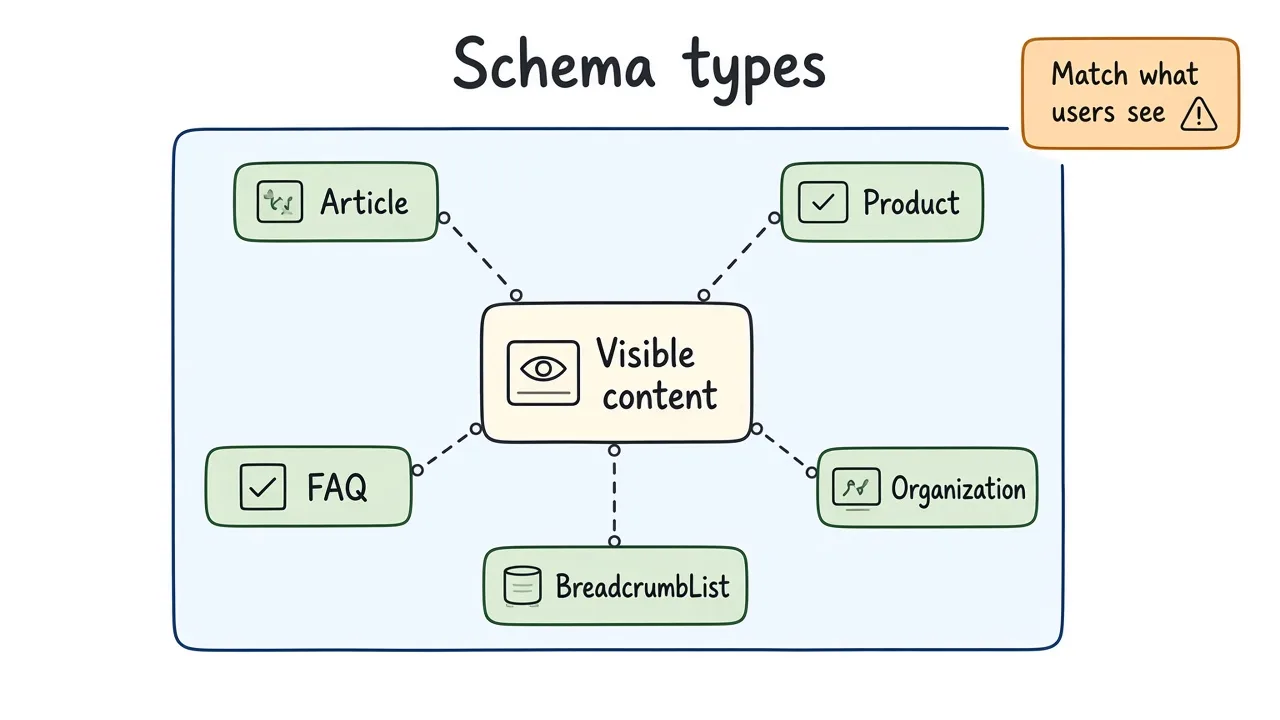
Schema only helps when it matches what users can see on the page.
6. International and hreflang (when relevant)
If you run more than one locale, international SEO is part of the technical audit.
- Locale URL pattern is consistent (folder, subdomain, or ccTLD) and documented.
hreflangannotations are reciprocal and use valid language or region codes.- x-default points somewhere intentional.
- Language switchers do not create crawl traps or duplicate parameter sets.
If you only have one language, skip this section. Do not invent hreflang for aesthetics.
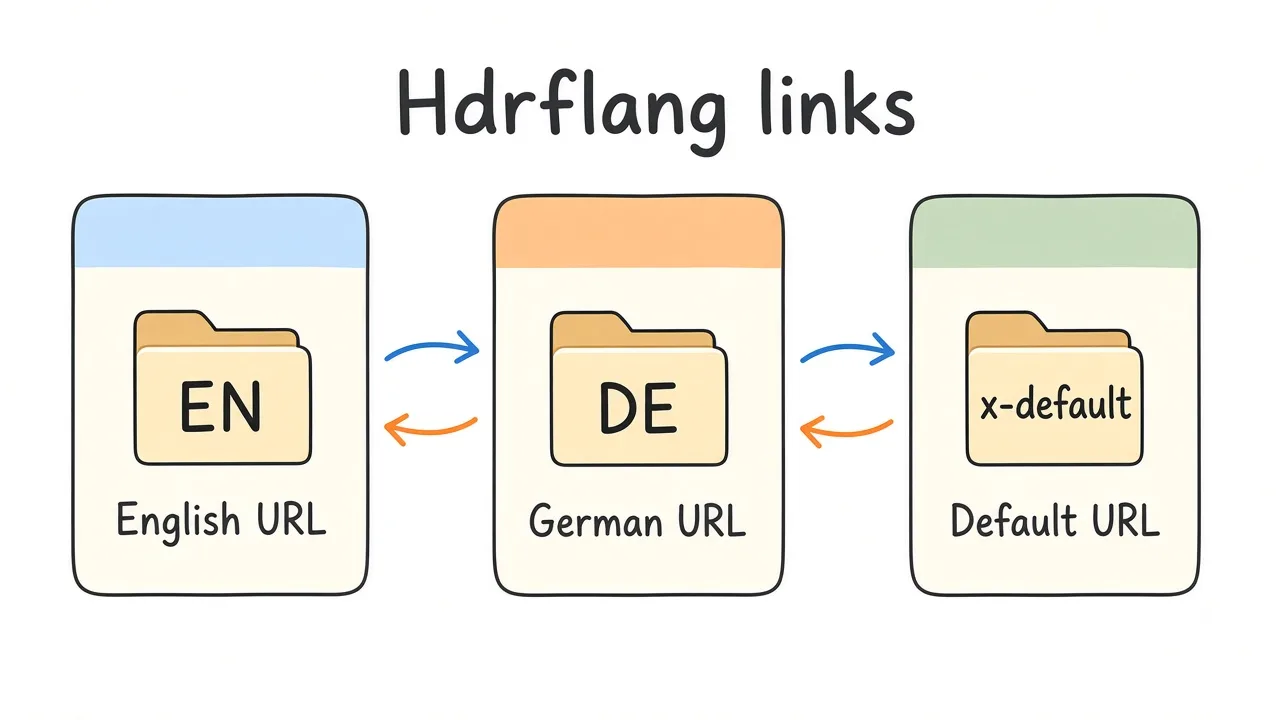
Hreflang has to be reciprocal. One-way annotations are a common failure mode.
7. AI search readiness without the theater
“AI SEO” marketing often means automated spam. In a technical audit, AI search readiness is more boring and more useful:
- Clear, crawlable HTML for primary content (not locked behind non-essential client rendering).
- Stable canonical URLs so citations and snippets point at the right page.
- Accurate titles, headings, and schema that match the page.
- Freshness and authorship signals where they are honest (author pages that exist, dates that update when content changes).
- No cloaking, doorway farms, or AI-generated doorway pages.
You cannot “optimize for ChatGPT rankings” with a plugin. You can make pages easy to fetch, quote, and attribute.
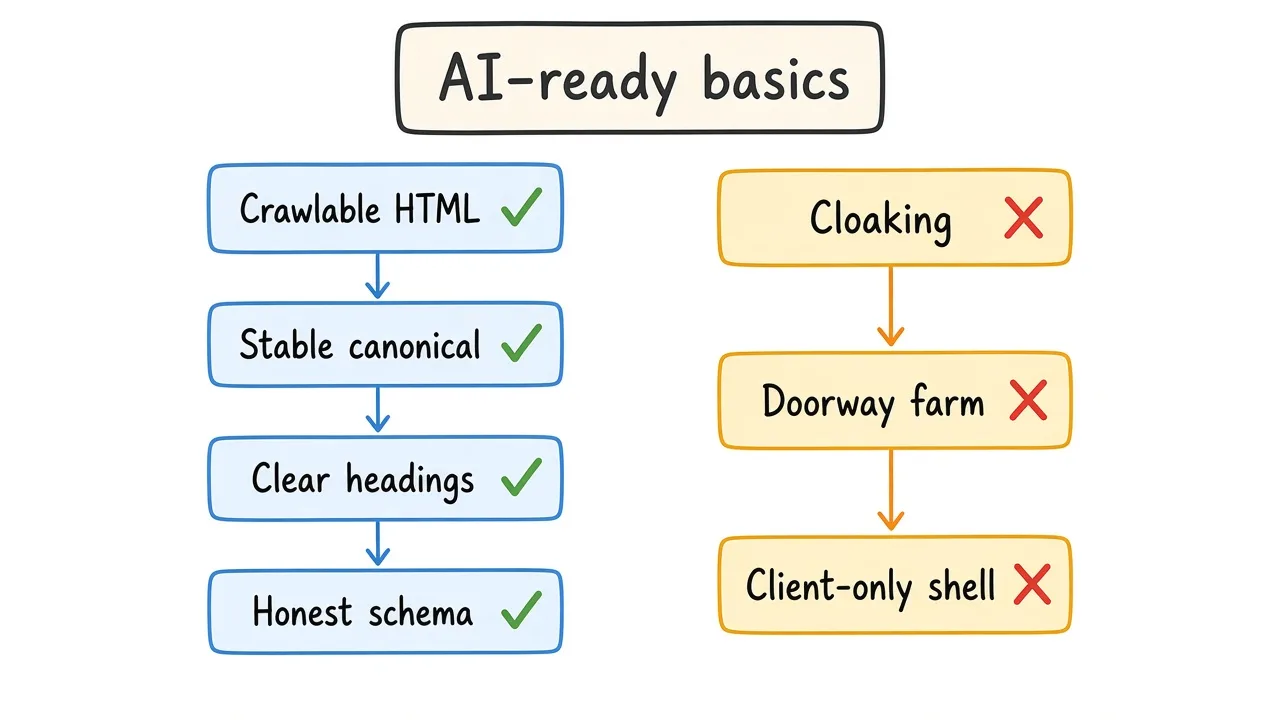
AI search readiness is crawlable, clear, attributable pages – not a plugin that promises citations.
Priority order when everything is on fire
- Restore blocked or deindexed money pages.
- Fix broken canonicals and soft 404 templates.
- Collapse redirect chains from migrations.
- Stabilize Core Web Vitals on high-traffic templates.
- Clean internal linking and thin template collisions.
- Schema and international polish.
Anything that only affects a rarely visited archive can wait.
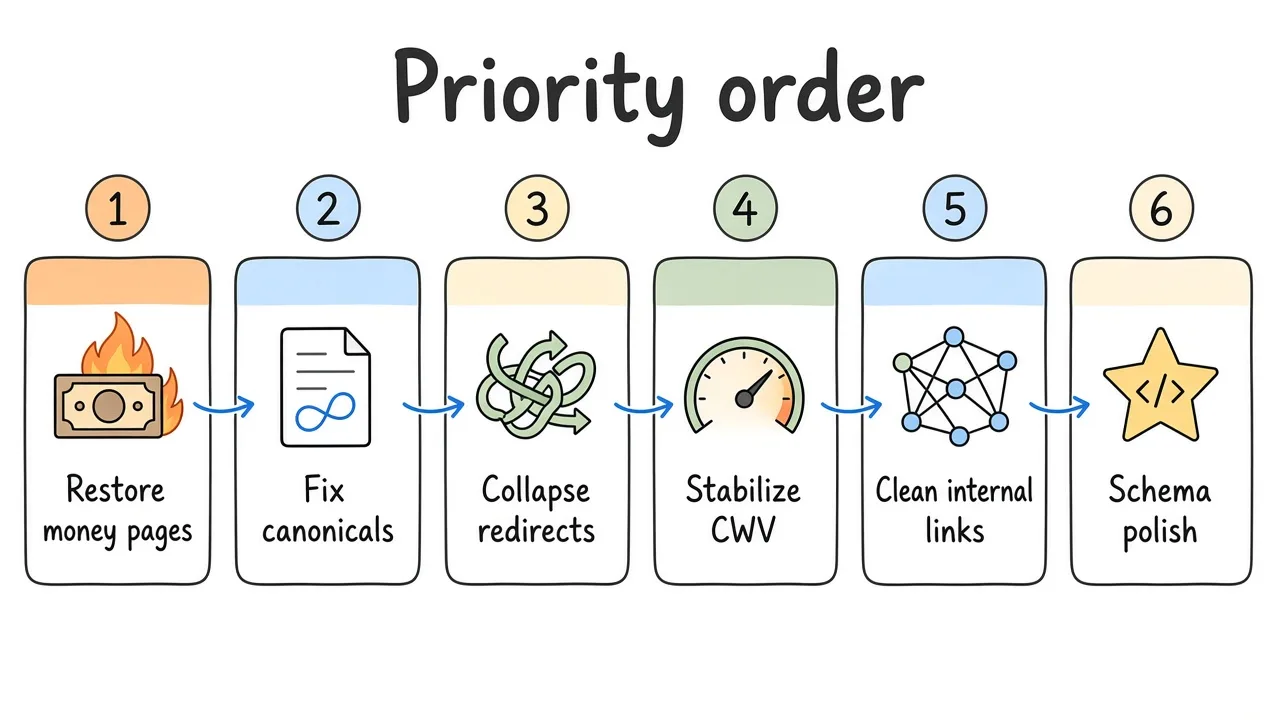
Ship the blockers that restore money-page discovery before you polish schema.
DIY audit vs paid audit
Do it yourself when:
- You have Search Console access and a small site (tens to low hundreds of indexable URLs).
- The failure mode is obvious (migration, accidental noindex, robots block).
- Your developer can ship fixes without a long queue.
Buy a paid audit when:
- Traffic dropped after a redesign or CMS move and nobody agrees why.
- Catalog or multi-locale complexity makes sampling required.
- You need a prioritized backlog with owners (dev, content, hosting) before a retainer.
- Prior agencies left conflicting plugins, sitemaps, and “AI SEO” leftovers.
Warning: An audit does not create rankings by itself. If the product page is weak or the market fit is wrong, technical work only clears the runway.
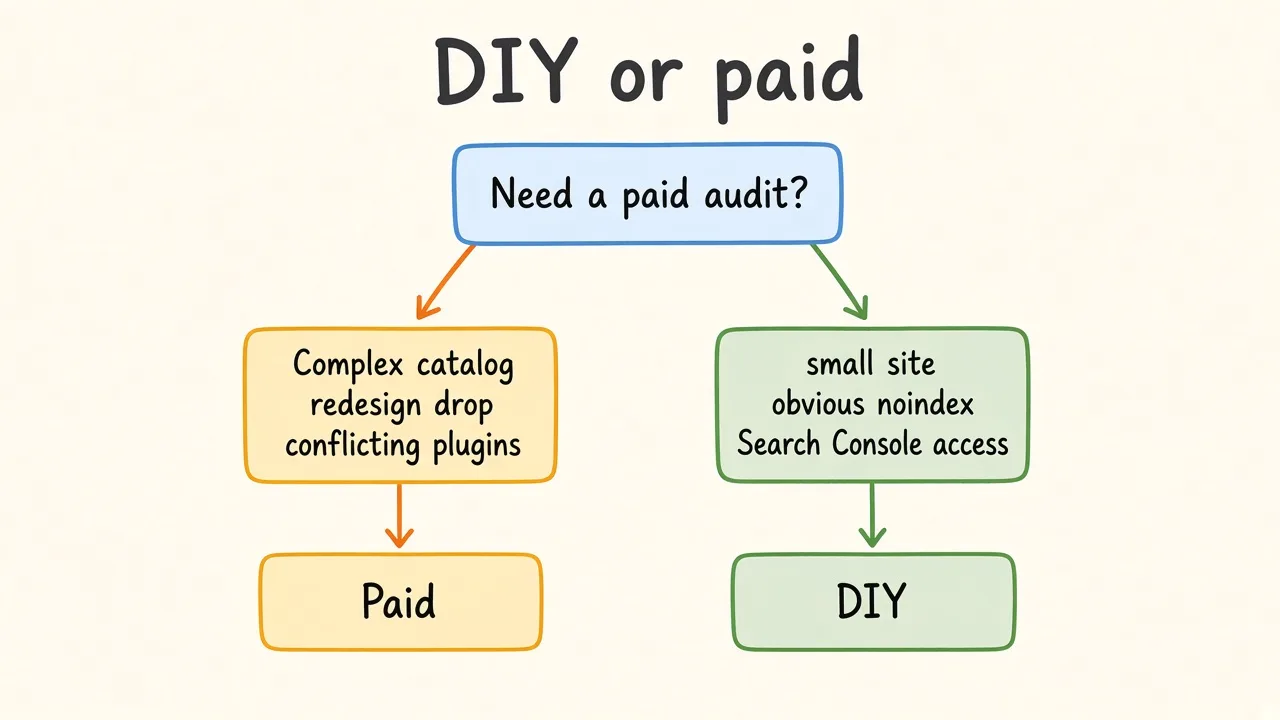
DIY works for small, obvious failures. Buy help when complexity or a redesign drop needs a prioritized backlog.
If you want a hands-on pass with a ranked fix list instead of an 80-page dump, see my technical SEO audit service page.
Worked scenario: redesign drop
A B2B site moves from WordPress to a JavaScript framework. Organic sessions fall 40% in six weeks.
Checklist findings:
- Important docs routes return client-rendered shells with thin first HTML.
- Old
/blog/*URLs 404 without a redirect map. - Sitemap still lists legacy paths.
- Canonical tags on new listing pages point at the homepage.
First sprint: redirect map for legacy URLs, fix canonicals, submit updated sitemap, improve server-rendered HTML for docs templates. Content and links come after those land.
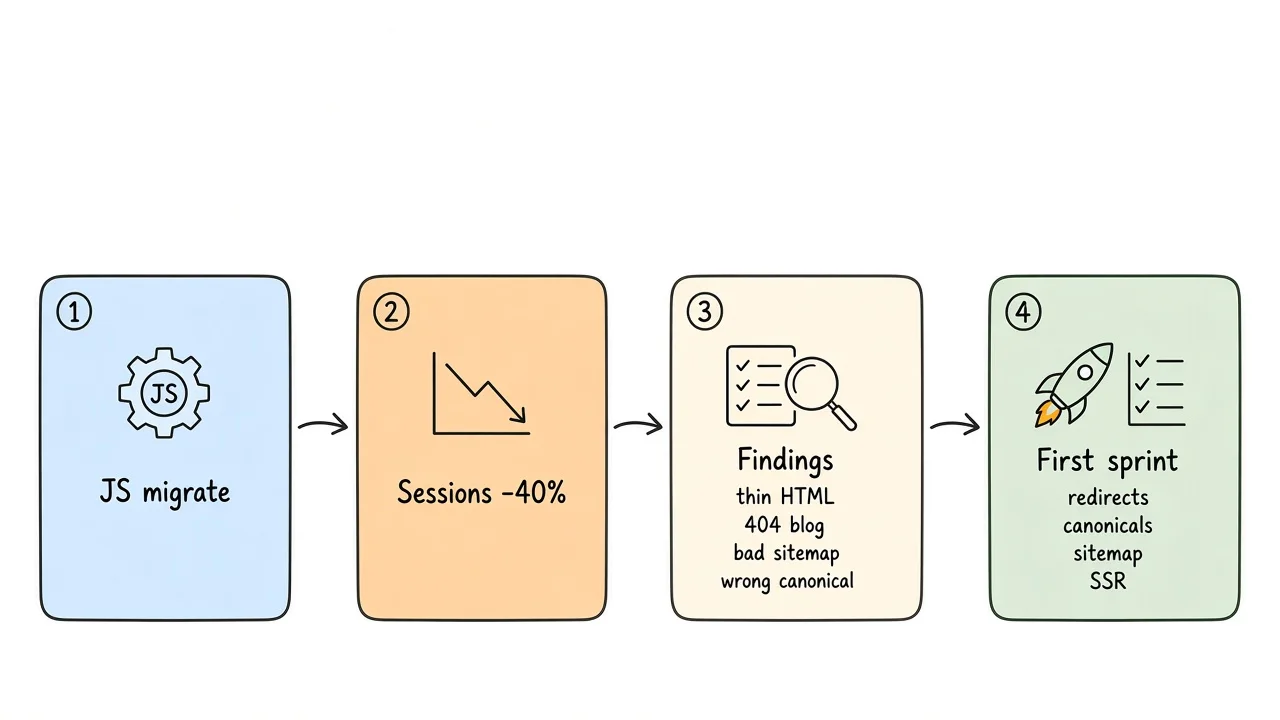
Redirects, canonicals, sitemap, and server-rendered HTML land before content and links.
Frequently asked questions
How long does a technical SEO audit take?
Most single-domain audits finish in about one to two weeks after access is ready. Very large catalogs get a scoped sample of templates plus a plan for the rest.
Do I need Search Console for a useful audit?
It helps a lot. Without it, a crawl plus public URL checks still find many issues, but coverage and CWV field data will be thinner.
Is this the same as a full SEO package?
No. This checklist is technical diagnosis and prioritization. Content strategy, digital PR, and ongoing optimization are separate once the foundation is clear.
Will fixing these items guarantee rankings?
No honest operator should promise that. Technical fixes remove blockers so content and links can work. Google still ranks relative to competitors and relevance.
What about AI Overviews and “GEO”?
Keep pages crawlable, clear, and attributable. Skip schemes that claim guaranteed AI citations. Treat experimental features as secondary to solid indexation and useful pages.
What to do next
Run the crawl and Search Console checks in order, write a short backlog with severity, and ship the top blockers before you expand content production. If you want a second set of eyes on the backlog or implementation, reach out via the contact form and we can scope a focused technical SEO audit.