
On this page
You fired the agency (or they went quiet) and the site still feels off. Rankings wobble, Search Console is full of warnings you do not recognize, and nobody can explain which pages were real work versus filler shipped to look busy. That is a cleanup job. A motivational reboot will not fix the residue.
This guide gives you a recovery sequence for a messy SEO handoff: lock access and backups in the first two days, map damage across content and tech and links, then fix in an order that stops the bleeding before you rewrite everything.
What bad agency SEO usually looks like
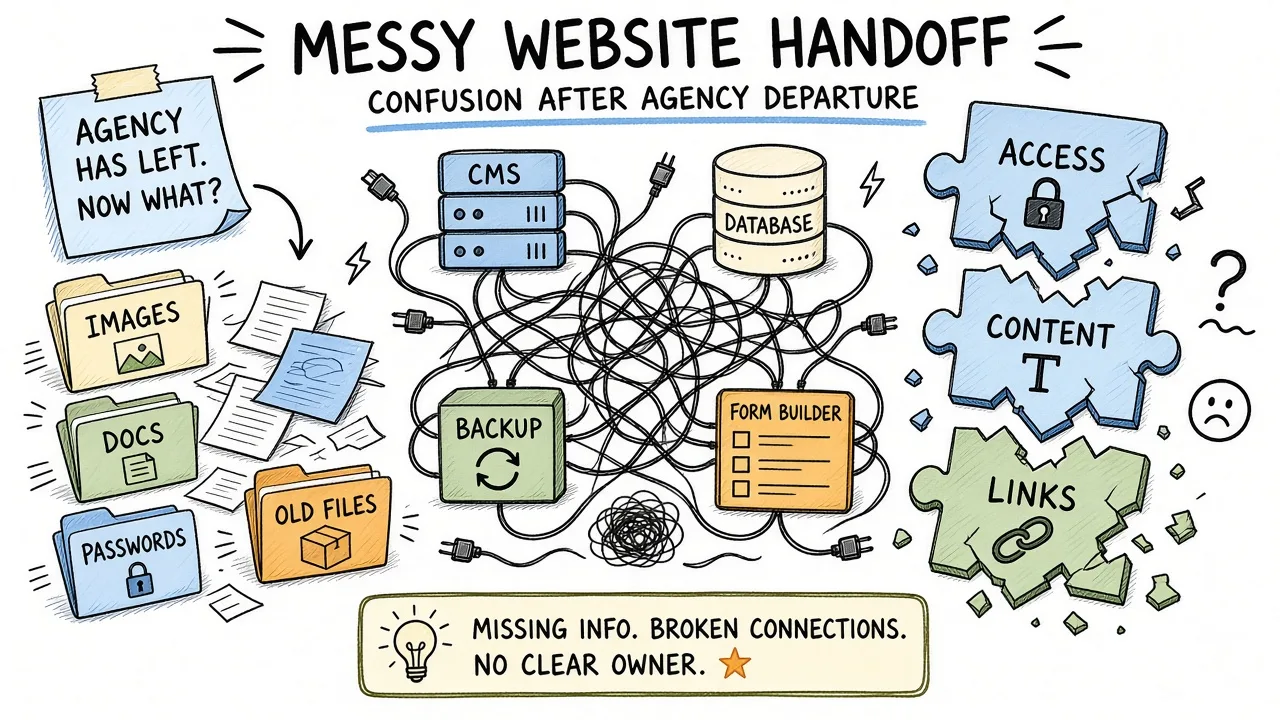
A cluttered handoff desk with stacked reports, plugin icons, and orphan draft pages.
“Bad agency SEO” is rarely one dramatic hack. It is usually a stack of shortcuts that looked fine in a monthly deck and rotten in the index.
Common patterns after a handoff:
- Dozens or hundreds of near-identical location or service pages with swapped city names and thin body copy
- Blog posts that read like synonym soup, published on a calendar with no owner and no update plan
- WordPress (or similar) loaded with overlapping SEO, cache, schema, and security plugins that fight each other
- Canonical tags, noindex rules, or sitemap entries that do not match what you think is live
- Redirect chains left from “URL optimizations” that never got cleaned up
- Link packages, guest posts on irrelevant sites, or directory blasts you never approved
- Tracking tags installed three times, or critical conversions tracked only in the agency’s private dashboard
The commercial tell is mismatch. You paid for growth. You received volume metrics (pages published, keywords “optimized,” links “built”) while money URLs got weaker, slower, or crowded out by junk.
Warning: Do not “start fresh” by wiping the CMS before you have Search Console ownership, a full backup, and a list of URLs that still earn clicks. Deleting without a map can erase the few pages that still work.
If the previous vendor sold guaranteed rankings, private blog networks, or automated “AI content at scale” as the main deliverable, treat every claim as suspect until you verify it in your own properties.
Lock access, Search Console, and backups in the first 48 hours
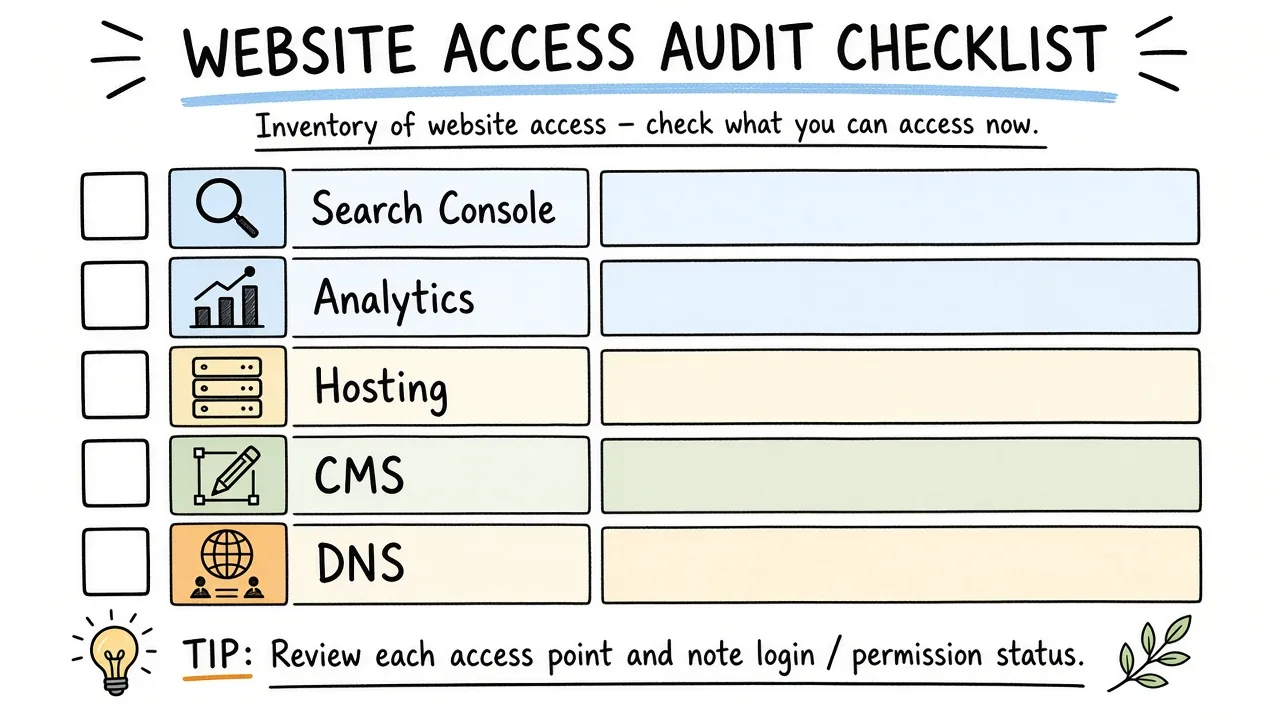
Keys and account tiles for hosting, CMS, Search Console, analytics, and DNS on one inventory board.
Before you rewrite a single page, take control of the systems that prove what happened.
1. Inventory every login. Hosting, CMS admin, DNS/registrar, CDN, Google Search Console, Bing Webmaster Tools, Google Analytics (or GA4), Tag Manager, ad accounts, email used for property verification, staging sites, and any SEO tool seats paid on your card. If the agency held the only admin user, create your own admin first, then demote or remove theirs after you confirm access.
2. Claim Search Console yourself. Prefer domain property verification when you control DNS. User/property access that lives only under the agency’s Google account is a recurring handoff failure. Export coverage, pages, and performance data while you still can.
3. Freeze risky changes. Pause mass publishing plugins, scheduled “content machines,” and any auto-generated internal linking tools until you understand what they do. You can keep ordinary edits. Stop automated volume.
4. Full backup, then a second copy off-host. Files plus database for CMS sites. Document PHP/Node versions and active theme. If something breaks during plugin removal, you need a restore path that does not depend on the old vendor.
5. Snapshot the URL set that still works. From Search Console performance (last 3 and 12 months), export queries and pages with clicks. That list is your “do not casually delete” set. Cross-check with analytics landing pages and any CRM notes on organic leads.
6. Note legal and contract leftovers. Who owns the content, who can republish it, and whether the agency still hosts assets or fonts on their CDN. Get written confirmation that your domain, search properties, and ad accounts are transferred.
Tip: Screenshot robots.txt, the live homepage source (canonical and title), and the XML sitemap index on day one. Those three files change quietly and people argue about “what it used to say.”
Forty-eight hours is enough to stop silent damage. It is not enough to rebuild strategy. Resist the urge to hire the next vendor on day two with only a rage brief.
Build a damage map before you “optimize” again
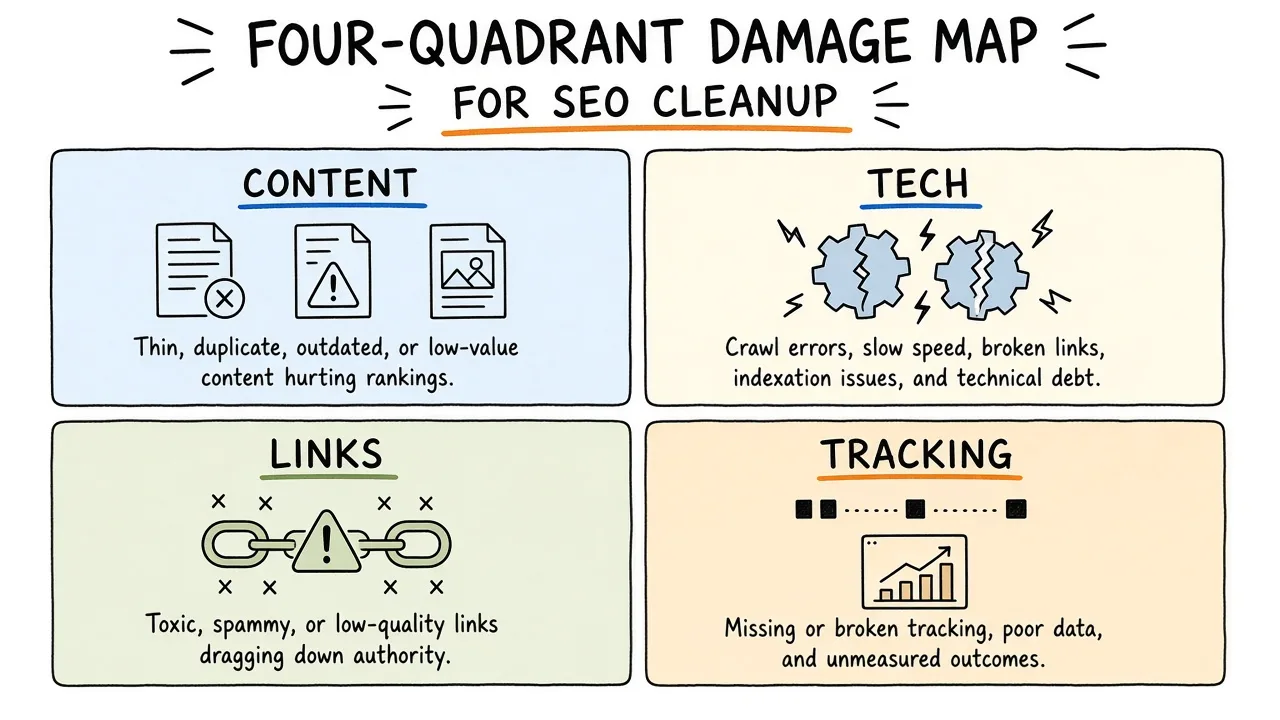
Four quadrants labeled content, technical SEO, links, and tracking with sticky severity notes.
Agencies love a new kickoff deck. You need a damage map: what is broken, how severe it is, and what evidence you have. Four buckets cover almost every messy handoff.
| Bucket | What you are looking for | Where you look first |
|---|---|---|
| Content | Thin, spun, duplicated, or AI-doorway pages | CMS list views, Search Console pages with impressions and poor CTR, crawl of title/H1 clusters |
| Technical | Index traps, speed debt, plugin conflicts, broken redirects | Coverage/indexing reports, live HTML, host error logs, performance field data |
| Links | Irrelevant, paid-looking, or sudden spikes | Link reports you own, Search Console links, brand mention checks |
| Tracking | Missing conversions, duplicate tags, agency-only dashboards | Tag Manager container, GA4 admin, ad pixels, CRM UTM history |
Severity should answer a money question. A soft 404 on an old blog tag archive is noise. A noindex on your primary service template is an emergency. A thousand spun city pages wasting crawl is medium-high if they compete with real location pages you still need.
Write the map in a shared doc your developer and whoever owns the P&L can both read. Columns that work in practice: URL or template, bucket, evidence link (Search Console or crawl ID), business impact, proposed action (keep / merge / redirect / noindex / delete / rewrite), owner, done-by date.
Do not start a second “SEO program” until this map exists. Otherwise you will pay for new content on top of unfixed rot.
Clean up thin and spun content without torching equity
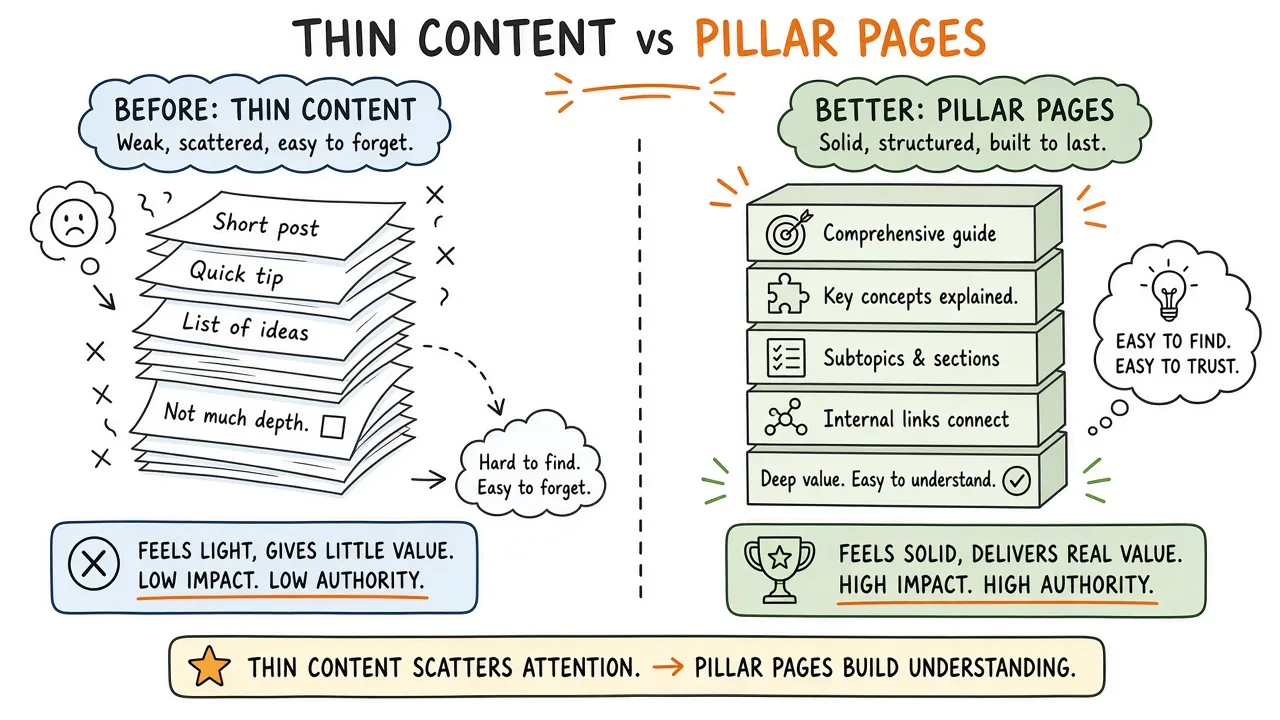
Stacks of near-identical page sheets with only the city name swapped on each cover.
Thin content after an agency engagement often comes in three flavors: spun service pages, calendar blogs with no expertise, and doorway-style location farms. Google’s own guidance on people-first content is the bar. If a page would not help a human who already found you, it should not stay as an index target.
Work the export of pages with impressions first. Sort by clicks descending. Protect winners even if the copy is imperfect. Then open the long tail of URLs with impressions and almost no clicks, plus templates that never appear in the report at all.
For each cluster (for example /services/plumbing-in-*):
- Decide the real business footprint. Which cities or services do you actually serve with staff, inventory, or licenses?
- Keep or rewrite pages that match that footprint and have unique proof (photos, team, case notes, pricing logic, local FAQs you can stand behind).
- Merge near-duplicates into stronger hubs when the differences are cosmetic.
- 301 redirect retired URLs to the best remaining destination. Soft-404 or “page removed” with no redirect throws away whatever equity and bookmarks remain.
- Remove the CMS entries and sitemap rows so crawlers see the same cleanup humans see.
Spun blog posts are easier emotionally and harder operationally because there are so many. Batch by topic. If ten posts restate the same answer, keep the least bad one, redirect the rest, and schedule a real rewrite only where search demand and sales conversations overlap.
Common mistake: Mass-deleting every agency URL in one afternoon without redirects. You feel productive. Search Console shows a spike of 404s, and the few pages that still ranked lose their path.
If you suspect scaled AI doorway content, prioritize removal of the farm over polishing individual posts. Volume was the product. Your cleanup product is fewer, clearer URLs.
Strip plugin and theme bloat that fights itself
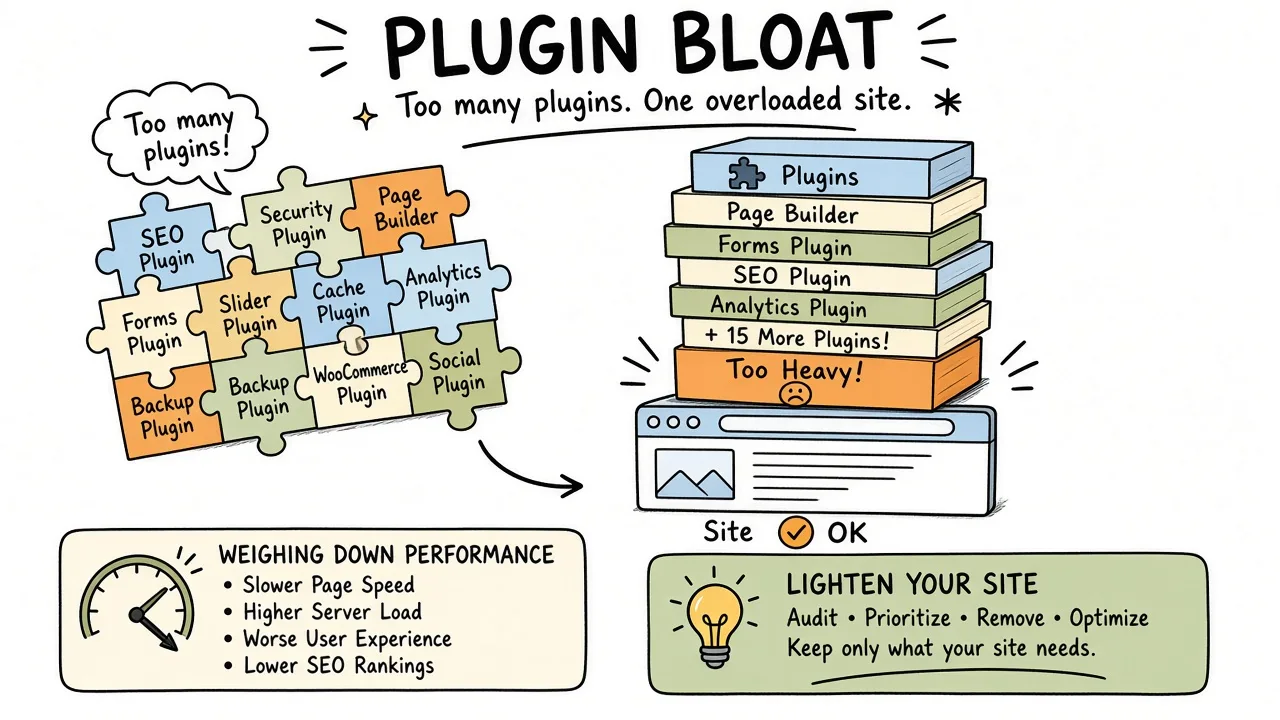
A CMS plugin panel packed with overlapping SEO, cache, schema, and security icons.
Agencies often install tools they already know, then leave them when the retainer ends. On WordPress especially, you may find two SEO plugins, two caches, a broken schema pack, an image optimizer that rewrites URLs, and a “security” plugin that rate-limits Googlebot.
Cleanup order that usually survives contact with production:
- Inventory active plugins and mu-plugins. Note which ones write to
.htaccess, inject head tags, or generate sitemaps. - Staging clone if you have one. If you do not, schedule a maintenance window and keep the backup warm.
- Pick one owner for SEO metadata (titles, canonicals, robots). Disable the losers after exporting their settings.
- Pick one caching path (host cache, plugin, or CDN). Stacked page caches create “I fixed it but the live site disagrees” ghosts.
- Remove abandoned page builders and unused themes after confirming templates do not depend on shortcodes.
- Re-check Core Web Vitals and a money URL’s HTML. Confirm a single canonical, a single title, and that critical CSS/JS still load.
Theme bloat shows up as render-blocking font stacks, homepage builders shipping unused sections sitewide, and mobile menus that load desktop mega-nav scripts. When field data in Search Console or CrUX shows a template-level problem, fix the template class rather than chasing one lucky URL.
You do not need zero plugins. You need one clear owner for each job and no silent second writer of canonical tags.
Untangle indexing and canonical messes
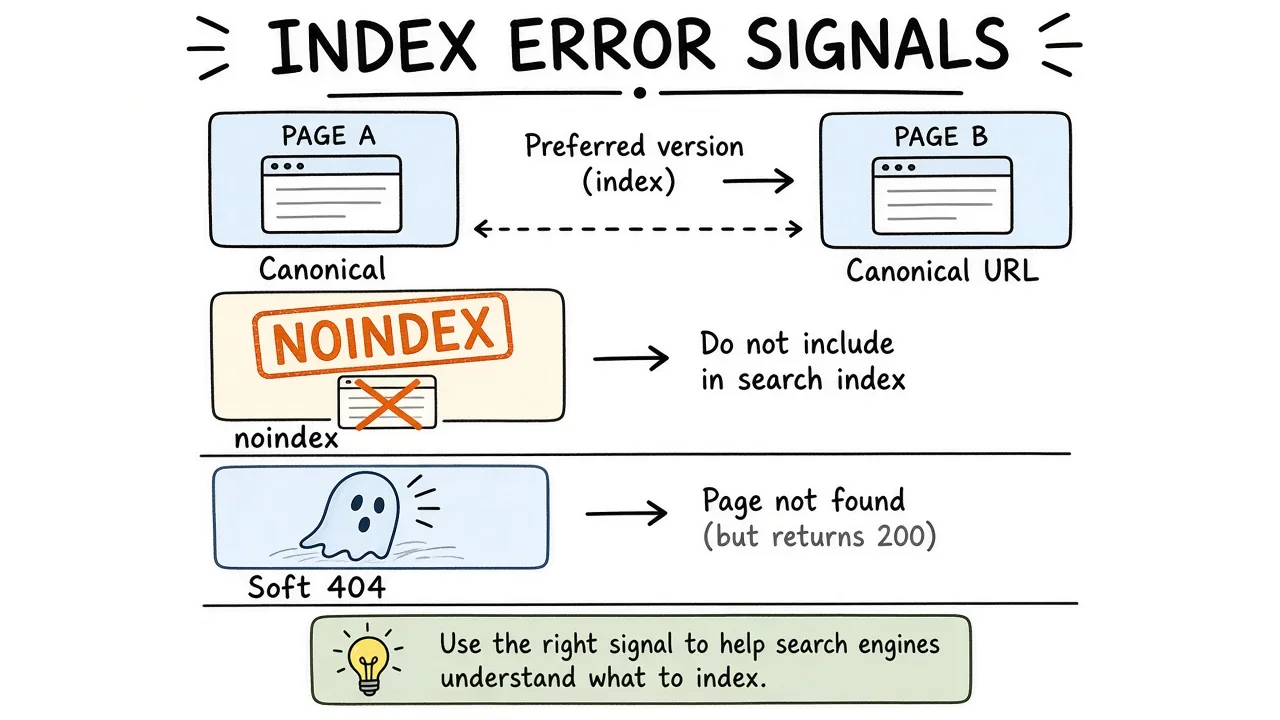
A maze of index nodes with arrows pointing at conflicting canonical URLs and sitemap entries.
Indexing problems after agency work often come from “helpful” defaults. Parameter URLs got indexed. Staging got linked. Faceted filters created thousands of thin variants. A migration left HTTP and HTTPS twins. Canonicals point at a outdated path the marketing site no longer uses.
Use Google Search Console as the source of truth for what Google currently thinks, then confirm with live HTML and your crawl.
Practical pass:
- Coverage / Pages report. Group by reason. “Crawled - currently not indexed” and “Duplicate without user-selected canonical” deserve sampling before you treat every row as urgent. “Excluded by noindex” on money templates is urgent.
- URL Inspection on the top converting organic URLs. Confirm “URL is on Google” when it should be, and that the inspected canonical matches your preferred URL.
- Sitemaps. Only canonical, indexable 200s. Remove redirects, noindexed URLs, and admin leftovers. Submit the cleaned index after the CMS is fixed.
- robots.txt. Make sure you are not blocking assets or paths the previous vendor “secured” without understanding.
- Internal links. Navigation and footer should point at preferred URLs. Orphans that exist only in an old XML sitemap are a smell.
Canonical strategy is a decision you document. A plugin checkbox alone will not hold it. For faceted navigation, decide whether filters are indexable. Most catalogs should keep a small set of useful landing pages and keep the rest out of the index with a consistent rule (canonical to parent, noindex, or both, applied carefully). Document the rule so the next developer does not invent a new one.
Best practice: After large canonical or noindex changes, re-export the Pages report in two to four weeks and compare reason codes. Cleanup is iterative. One deploy rarely clears every stale URL.
If rankings dropped right after a redesign the agency managed, compare the old and new URL maps before you blame “the algorithm.” Many “SEO disasters” are broken redirects and lost internal links wearing a costume.
Treat spammy links carefully and slow-walk any disavow
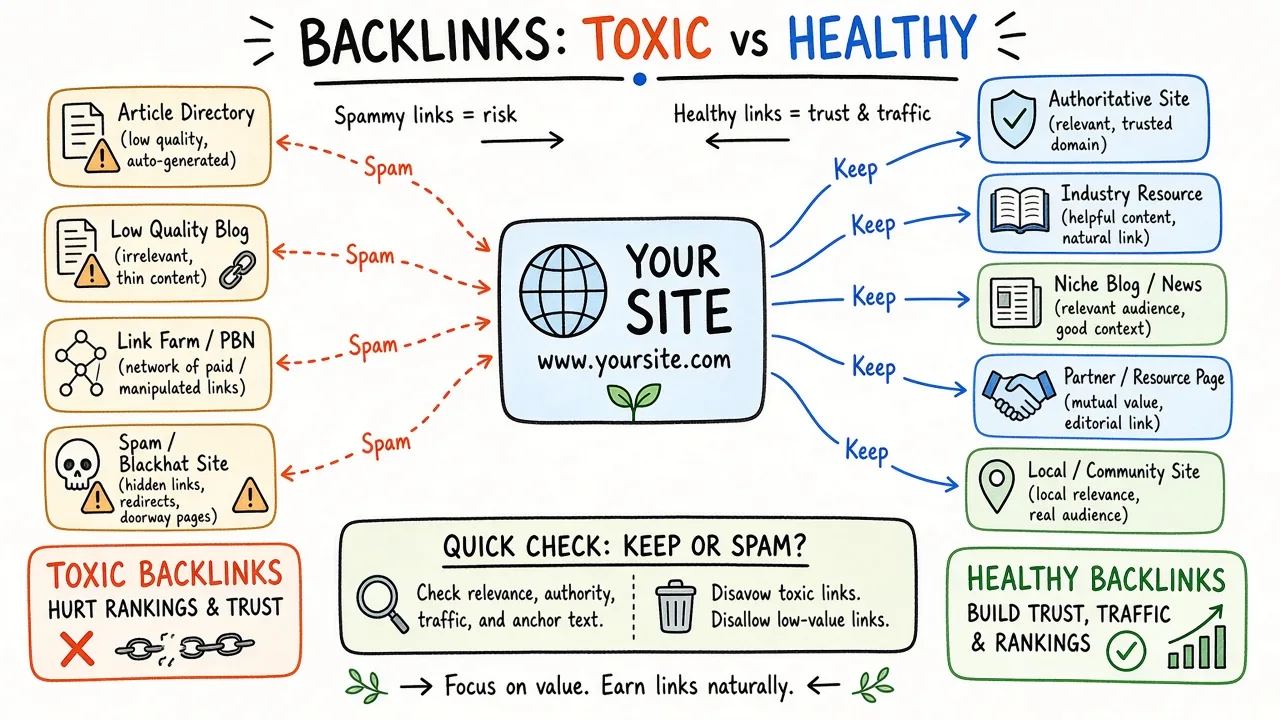
A backlink graph where dense spam clusters sit apart from ordinary citation links.
Link toxicity after an agency relationship is emotionally loud and often overstated. Irrelevant guest posts and directory blasts look ugly in a spreadsheet. Google has spent years reducing how much low-value link spam helps. Still, if you received a manual action, or you see clear paid-link patterns tied to the engagement, you need a paper trail and a careful response.
Start with facts:
- Export links you can access (Search Console links report, plus any tool the contract still covers).
- Mark patterns: exact-match anchors on money keywords, sudden spikes, sites with no topical relation, footer sitewide links, and networks that repeat across your competitors in the same package.
- Check Search Console for a manual action related to unnatural links. A manual action changes the playbook. Algorithmic suspicion alone does not mean you must disavow tomorrow.
Google’s disavow links tool exists for cases where you cannot get links removed and you believe they are a problem, especially with manual actions. The docs are clear that most sites never need it. Misuse creates busywork and can discard links you would rather keep.
Order of operations:
- Attempt removal for the worst hosts when contact info exists and the volume is manageable.
- Document what you asked for and what changed.
- Consider a disavow file only for remaining clear spam you could not remove, reviewed by someone who has done this before.
- Do not disavow your own properties, partner press, or ordinary directory citations because a slide deck called them “toxic.”
While you review links, stop any ongoing paid placement the old agency still bills. Future spam is easier to prevent than past spam is to litigate.
Prioritized cleanup order (so you do not boil the ocean)
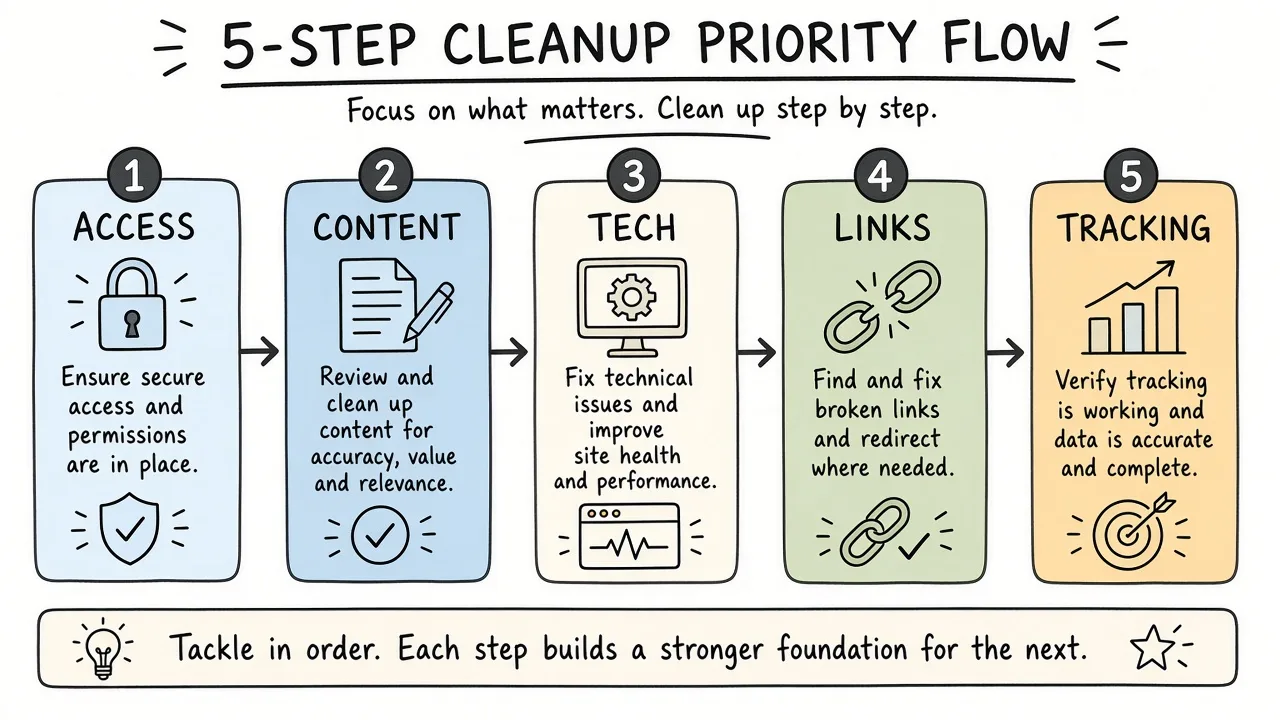
A staircase of cleanup steps from access lock at the bottom to content rewrite at the top.
Sequence matters more than heroics. A workable order for most small and mid-size sites:
- Access, backups, Search Console ownership (days 0-2)
- Stop the machines (auto-publish, doorway generators, reckless link vendors)
- Indexing emergencies (noindex on money URLs, accidental staging index, critical redirect failures)
- Tracking integrity so you can measure whether fixes help
- Plugin/theme conflicts that change HTML, canonicals, or speed on money templates
- Redirect and URL map cleanup for migrations and deleted thin URLs
- Thin content clusters with redirects and real rewrites where the business needs the topic
- Link triage only with evidence rather than vibes
- Then a forward content and internal-linking plan based on pages you are proud to keep
If budget is tight, stop after step 7 on the templates that drive leads or revenue. A perfect blog archive is optional. A correct service template is not.
Assign owners by skill. Developers own robots, redirects, plugins, and templates. Whoever owns the offer owns content keep/kill decisions. Do not let an SEO contractor delete product URLs without a sales or ops sign-off.
Redirect and URL maps that make or break the cleanup
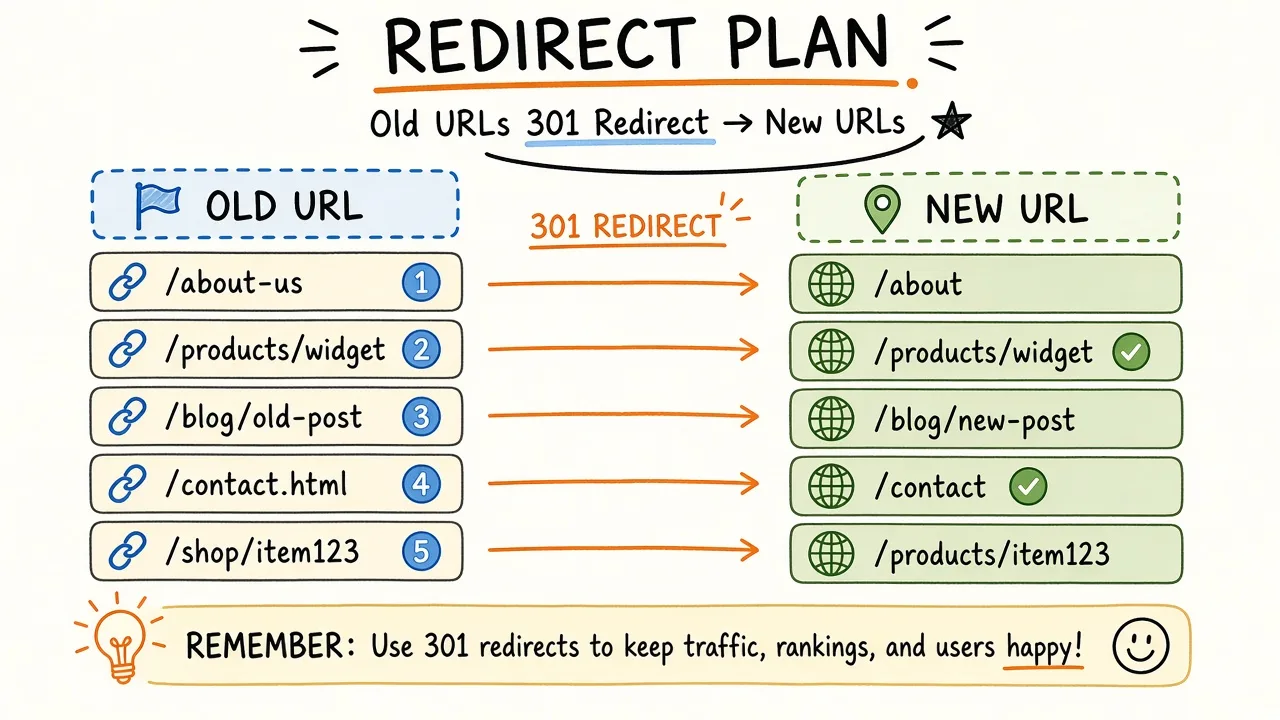
A planning sheet mapping old agency URLs on the left to kept destination URLs on the right.
Most “we cleaned up and traffic fell more” stories are redirect stories. Build one sheet before mass deletes.
Columns that earn their keep:
- Old URL (exact)
- Status today (200, 301, 404, soft 404)
- Hits in Search Console or analytics (if any)
- Decision (keep, 301 to X, gone)
- New URL
- Implemented (yes/no) and who checked live
Rules of thumb:
- Prefer one-hop 301s to the closest relevant live page. Chains through three legacy paths waste crawl and confuse debugging.
- Homepage is a last resort redirect target when nothing relevant remains. Better a topical hub than a lazy dump to
/. - Update internal links and sitemaps in the same release when you can. Leaving navigation pointed at 301s forever is how chains grow back.
- Keep the sheet. The next developer will need it when someone asks why
/blog/best-widgets-2021-optimized-copy-3still appears in an old PDF.
Test a sample with curl or browser devtools after deploy. Confirm status codes. “The page loads” in a browser is not enough proof that the redirect hop is correct.
Worked scenario for a regional services site after a content farm retainer
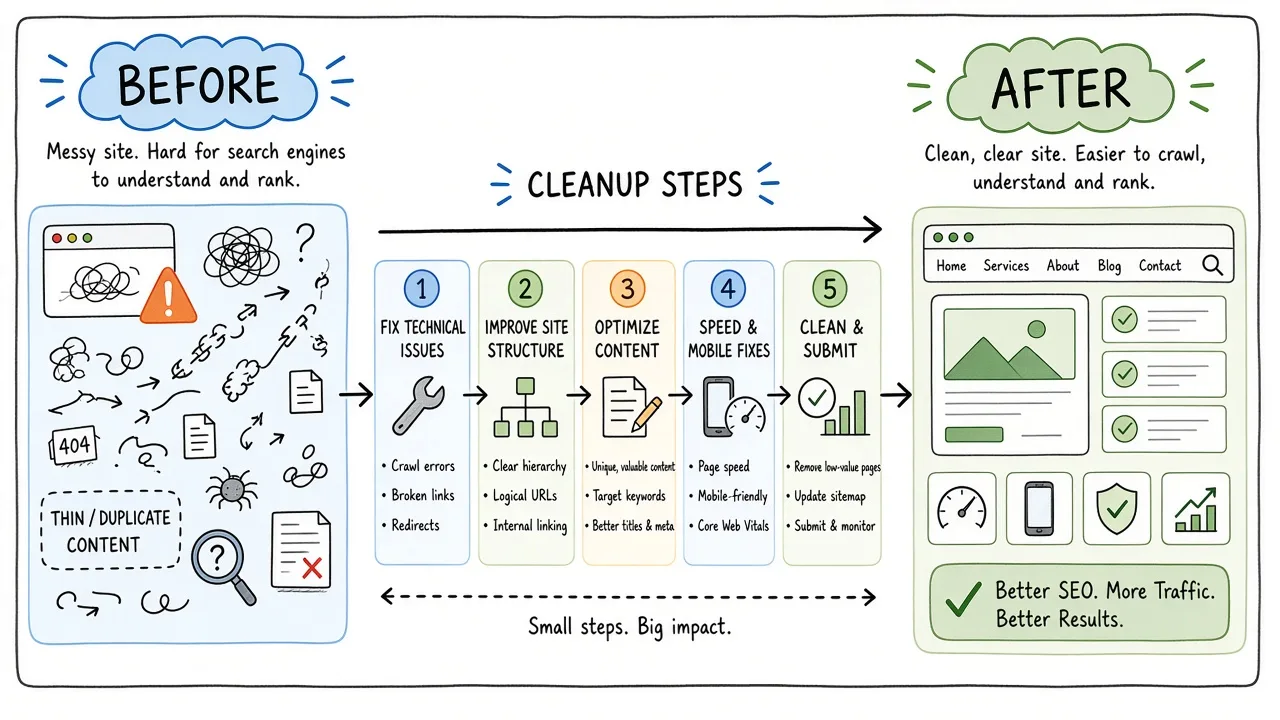
Storyboard panels showing a bloated location-page farm shrinking into a smaller set of real service hubs.
Imagine a regional home-services company. Twelve months with an agency produced 180 “city × service” pages, a blog posting five times a week, three SEO plugins (two inactive but still installed), and a sitemap that listed every pagination and tag URL. Leads flattened. Brand queries still worked. Non-brand service queries softened. Search Console showed many crawled-not-indexed URLs and duplicates.
Week 0. Owner recovers Search Console via DNS, exports performance, takes a full backup, removes the agency admin after creating their own.
Week 1. Damage map. Money URLs are /services/drain-cleaning/, /services/water-heater/, and about fifteen cities they actually staff. The other city pages are spun. Tracking had two GA4 tags firing. Plugin A and Plugin B both output canonicals.
Week 2. Technical stop-the-bleed. One SEO plugin remains. Duplicate tags removed. Sitemap limited to canonical service and real city pages. robots.txt untouched except removing a leftover Disallow the agency added for a staging path that no longer exists.
Weeks 3-5. Content. Keep fifteen city pages that have real crews and unique FAQs. 301 the rest to the matching service hub or nearest real city. Blog: keep twenty posts that match sales questions; redirect near-duplicates; trash the calendar filler with redirects to topical hubs where possible.
Week 6. Link review finds a package of guest posts on unrelated lifestyle blogs. No manual action. Removals requested for the worst ten. No disavow yet.
After. Index bloat shrinks in the Pages report over subsequent crawls. The company stops paying for volume and starts briefing subject-matter owners for fewer, clearer pages. Rankings do not “snap back” on a timer. The point of the cleanup is a site you can defend and improve, with measurement you trust.
Your numbers and CMS will differ. The sequence (control → map → emergencies → templates → thin clusters → links) travels well.
DIY versus hire for the rescue
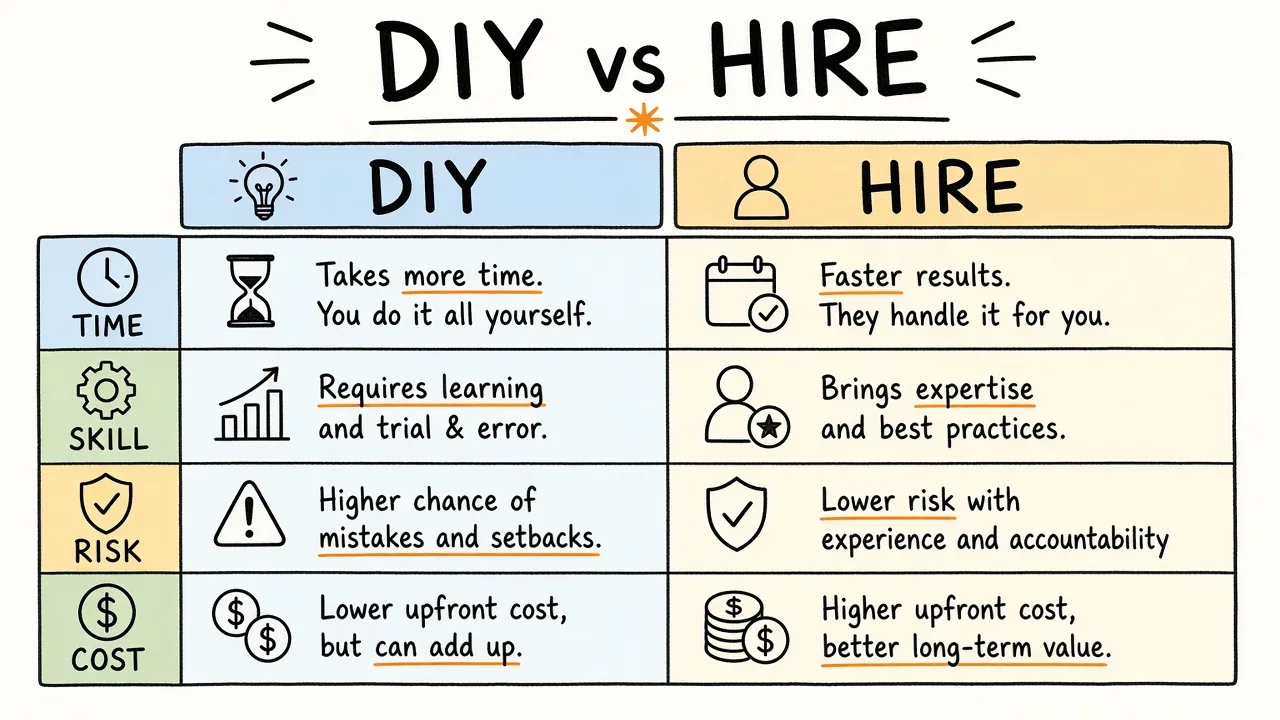
A fork in the road between a DIY checklist clipboard and a hired rescue specialist with a small toolkit.
Do it yourself when:
- You still have admin access and a developer who can ship redirects and plugin changes
- The damage is mostly obvious thin pages and tool clutter
- Traffic is annoying but not existential, and you can spare a few focused weeks
- Nobody has received a manual action you do not understand
Hire help when:
- Search Console access is contested or verification is broken
- A migration, redesign, or domain change sits under the drop
- You see a manual action, security incident, or injected spam you cannot isolate
- The URL count is large enough that keep/kill decisions need crawl sampling and a real redirect program
- Leadership wants an outside read before suing or withholding payment (documentation quality matters)
A good rescue engagement should leave you with the damage map, the redirect sheet, Search Console under your login, and a short backlog ranked by business impact. It should not trap you in another opaque retainer that only reports “keywords optimized.”
If you hire, ask how they will avoid recreating the farm: who writes, what evidence gates publishing, and what they refuse to sell (paid links, ranking guarantees, doorway automation). Decline vendors who propose an immediate disavow without inspecting Search Console, or who promise recovery dates they cannot control.
For a structured technical pass once the handoff mess is stable, a focused audit can sit beside this cleanup work. The rescue sequence here stays on agency residue. The deeper crawl-and-index checklist is a separate job when you need one.
Frequently asked questions
How long until rankings recover after firing an SEO agency?
There is no honest universal timeline. Google recrawls and reprocesses on its own schedule. Some indexing cleanups show movement in weeks. Content trust and link residue can take longer. Measure leading indicators you control: correct canonicals on money URLs, shrinking junk in the Pages report, restoring analytics integrity, and leads from organic landing pages you kept. Treat “guaranteed recovery by date X” as a sales line.
Should I delete everything the previous agency published?
No. Start from URLs that still earn clicks or conversions, then decide keep, rewrite, merge, or redirect. Blanket deletion without a redirect map often destroys the residual value mixed into the mess. Delete the systems that keep producing junk. Be surgical with URLs that already have history.
Is a disavow file required after bad link building?
Usually no. Google’s documentation on the disavow tool positions it as optional and mainly relevant when you have a clear problem you cannot resolve by removal, especially with manual actions. Review evidence first. Do not upload a huge disavow scraped from a fear-based audit PDF without human review.
Can I keep ranking while I clean thin pages?
Often yes if you sequence correctly. Protect and improve money templates first, redirect retired URLs to relevant replacements, and avoid noindexing large swaths of useful content while you “think.” Temporary volatility happens when you change many URLs at once. Batch by template, ship redirects with the deletions, and watch Search Console rather than changing five systems on the same night.
What should I demand in writing on day one of a new SEO vendor?
Your ownership of Search Console, analytics, CMS, and ad accounts; a shared backlog you can read; clear refusal of ranking guarantees and paid-link schemes; and a definition of done for each sprint (URLs changed, redirects shipped, pages removed, modules tested). If the only deliverable is a PDF of keyword positions, you are buying a report. You still need an operating system for how the site changes week to week.
Conclusion
Bad agency SEO leaves residue in four places: content nobody would send a customer, tools that rewrite each other’s tags, an index full of URLs you never meant to rank, and links you may not have approved. The fix is ownership first, then a damage map, then a sequenced cleanup that privileges money templates and honest measurement over another burst of publishing.
If you want help turning a messy handoff into a ranked fix list and a redirect plan you can defend, reach out via the contact form.