
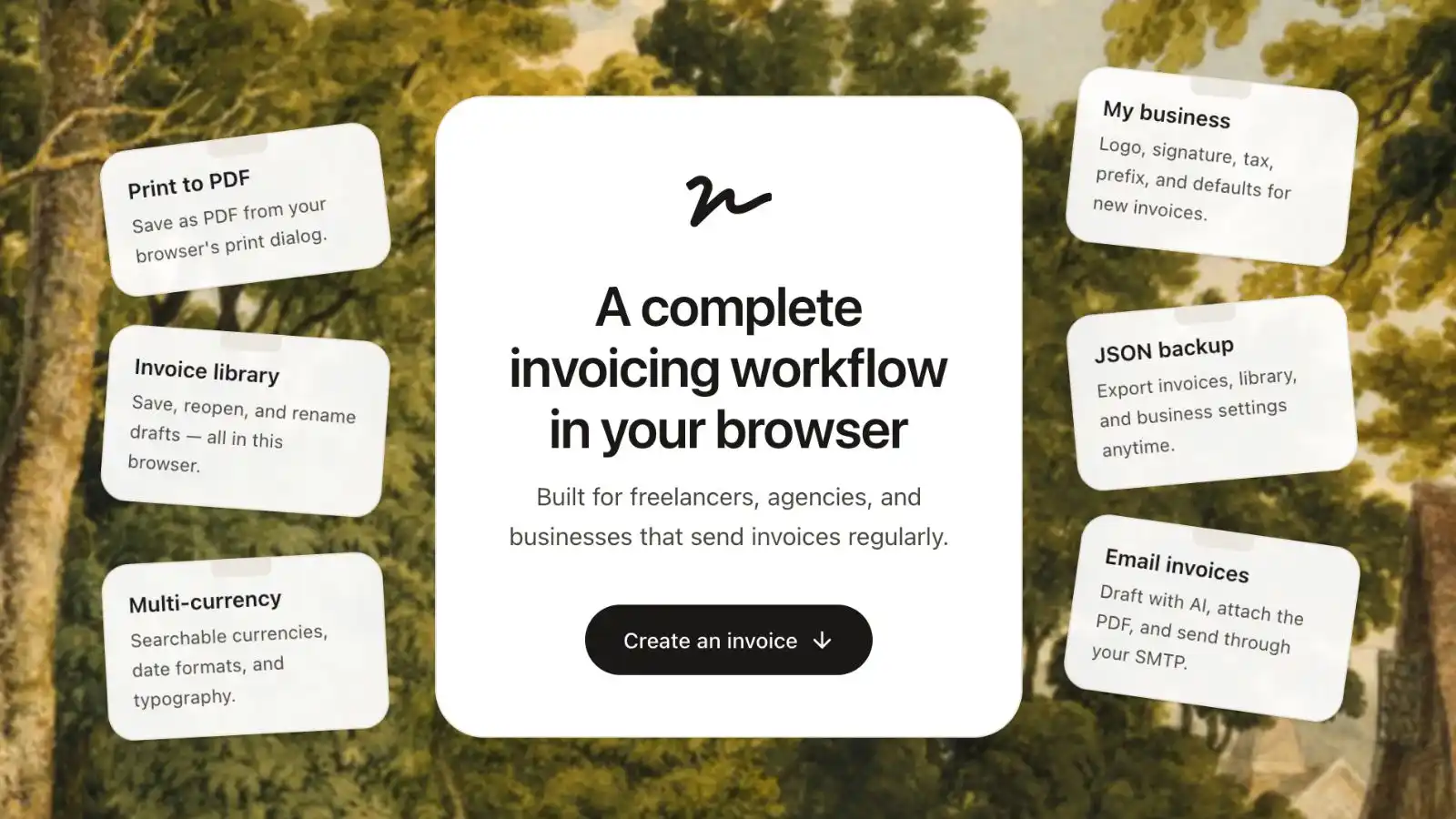
The license thing is new. It's fairly inexpensive, and it helps justify the time I've put into developing this project. The licensed features -- backups, business defaults, encrypted cloud sync across browsers, and email tools -- are things I think are mainly useful for small businesses or consultants who rely on invoicing regularly. If that's you, the license is there if you'd like to support the project and unlock those features.
invoicemon started as a personal tool. Last weekend I spent some time improving it and decided to put it online.
The design and feature choices are very subjective. They’re mostly things I wanted for myself, not features chosen by a product team or pulled from a roadmap. Honestly, it was fun playing with this one’s design -- the floating windows, the letterhead feel, the little desktop chrome.
Open it in your browser, fill in an invoice, save a PDF, keep a local library, optionally email a client. No signup. With a license, your workspace can also sync automatically across browsers.
what’s free, what isn’t
The core loop is free: create invoices, save to your local library, preview, and export PDFs.
A business license unlocks the heavier workflow -- JSON backup and restore, business defaults, custom field labels, encrypted cloud sync, and the whole email stack (AI drafts, SMTP send, histories). Without a license, those menu items stay visible but greyed out; clicking one opens checkout. With a license, the menubar shows Licensed to {email} and a cloud sync status (Syncing… / Synced / Offline).
Free: new / save / open, line items, signature, PDF preview, save as PDF, currency, dates, typography, languages, help, privacy.
License required: import JSON, export JSON (single invoice, business settings, program settings, full library), my business, program settings, AI settings, mail settings, everything under the email menu, automatic cloud sync, and activations management.
Purchase from the menubar (Get license key). After checkout, paste your key under Settings → Add license key…, or let the app activate from the purchase redirect. On a new browser, restore with an email OTP instead of re-pasting the key. One license works on up to five browsers. If you hit the limit, open Settings → Activations…, remove an inactive browser, and try again. You cannot remove the browser you're using right now.
where your data goes
Almost everything stays in your browser by default.
- Invoices, saved libraries, settings, window positions, theme preferences, AI keys, mail settings, and email history are stored in
localStorageon your device. - Licensed cloud sync: with an active license, invoicemon automatically backs up your workspace to encrypted cloud storage tied to that license. Synced data includes your current draft, saved library, business and program settings, AI settings (base URL, model, language), mail settings (host, user, port, send-from), email histories, locale, theme, notes panel height, and per-browser window layouts. Your AI API key and SMTP password never sync -- enter those separately on each browser.
- Sync runs about two seconds after you stop editing, when you open the app with a license, when you come back online, and when you leave the tab. If two browsers have different versions, the newest copy wins. Watch the menubar for Syncing… / Synced / Offline.
- AI requests go directly from your browser to the provider you configure. I don’t proxy AI calls and don’t store your key.
- When sending email, SMTP credentials pass through my server only for the duration of the send request and are not stored.
- JSON exports are files you download and own. Full exports intentionally exclude secrets such as API keys and SMTP passwords.
- Page analytics use Umami and collect aggregate usage data only. Your invoice content is not tracked.
- License activation, OTP recovery, device activations, and cloud sync touch my server (purchase email, license key validation via Dodo Payments, short-lived recovery codes, encrypted sync blobs in Postgres). Invoices and client data are not stored in plain text on my infrastructure.
There’s a more detailed explanation in the app under Privacy and Help.
Questions: help[at]invoicemon.com.
under the hood
For the curious -- how it actually works.
stack and hosting
It’s a Next.js app (React 19, TypeScript, Tailwind). The UI uses Base UI components. The email composer is Lexical. AI uses the standard OpenAI-compatible HTTP shape so you can point it at OpenRouter, OpenAI, or anything else that speaks that API.
I build with OpenNext for Cloudflare and deploy to a Cloudflare Worker -- static assets on the edge, one small serverless handler for email, license, and cloud sync endpoints.
The live site is at the domain root (invoicemon.com). Locale routes are plain paths (/de, /fr, /zh-cn); English stays at /.
client-side by default
Almost everything runs in the browser. The invoice editor, saved library, business defaults, window positions, theme, AI settings, mail settings, and email histories all live in localStorage. Parse on read, validate, write back on change.
| What | Where |
|---|---|
| Edit invoice, calculate totals, preview | Browser |
| Save library, settings, histories | localStorage |
| Licensed workspace backup | Encrypted cloud storage (license-scoped) |
| Generate AI email | Browser → your AI provider |
| Send email | Browser → my API route → your SMTP |
| License activate / verify / OTP / activations | Browser → my API route → Dodo + Postgres |
| Page views | Umami (aggregate counts only) |
The server never sees your invoices, API key, or SMTP password at rest. The only time SMTP creds hit my infrastructure is the single send request -- used once, not stored. Cloud sync stores an encrypted envelope keyed to your license -- not readable as plain invoice JSON on the server.
Typical read/write pattern:
const STORAGE_KEY = "invoicemon-library";

function loadLibrary(): SavedInvoice[] {
  try {
    const raw = localStorage.getItem(STORAGE_KEY);
    const parsed = raw ? JSON.parse(raw) : [];
    return Array.isArray(parsed) ? parsed.filter(isValidEntry) : [];
  } catch {
    return [];
  }
}

function saveLibrary(library: SavedInvoice[]) {
  localStorage.setItem(STORAGE_KEY, JSON.stringify(library));
}
Corrupted or unexpected shapes get rejected; the page keeps working with an empty library instead of crashing.
floating windows
I wanted a small desktop feel, not a stack of centered modals. Each panel (editor, settings, help, etc.) is a positioned box inside the playground area -- drag on the title bar, resize from edges and corners, layout saved to localStorage per window so it comes back next visit.
- Drag -- pointer capture on the title bar, update
x/yon move - Resize -- thin hit targets on edges and corners; adjust width/height and keep the box inside the desktop bounds
- Remember -- layout
{ x, y, width, height }saved tolocalStorageper window so it comes back next visit
Conceptually:
// each window is absolutely positioned inside the desktop
<div style={{
  transform: `translate(${x}px, ${y}px)`,
  width, height,
}}>
  <div onPointerDown={startDrag}>title bar</div>
  <div>{content}</div>
  {/* edge handles for resize */}
</div>
PDF generation
// the whole trick
document.title = "Invoice-2024-001";
window.print();
There is no server-side PDF renderer. A print-only copy of the invoice is rendered off-screen, Save as PDF calls window.print(), and you pick “Save as PDF” in the browser dialog. Preview reuses that same print layout, scaled down on small screens. Output quality follows the browser’s print engine -- no PDF pipeline to maintain.
languages
Eight locales, each a flat JSON file bundled at build time. Lookups are dot paths ("common.save" → nested object). Placeholders stay literal: "Hello {name}" with runtime substitution. No gettext, no runtime fetch -- predictable bundle size on Cloudflare.
URLs are locale-prefixed: /de, /fr, /zh-cn. English is the default at /. If you land on / with no preference saved, middleware picks a locale from Accept-Language (or a cookie from your last visit) and redirects once.
Lookup is a dot path into a flat JSON file bundled at build time. Placeholders stay literal in the file and get substituted at runtime:
// en.json: { "common": { "licensedTo": "Licensed to {email}" } }

function t(key: string, params?: Record<string, string | number>) {
  const value = key.split(".").reduce(getNested, messages);
  if (typeof value !== "string") return key;

  return value.replace(/\{(\w+)\}/g, (_, token) =>
    params?.[token] === undefined ? `{${token}}` : String(params[token]),
  );
}

t("common.licensedTo", { email: "[email protected]" });
// → "Licensed to [email protected]"
JSON backup
Export all as JSON produces one file with a versioned format tag, export timestamp, all saved invoices (by name), business defaults, custom field labels, email histories, and AI/mail settings -- without API keys or SMTP passwords:
{
  "format": "invoicemon-library",
  "version": 1,
  "exportedAt": "2026-06-09T12:00:00.000Z",
  "business": { },
  "program": { },
  "invoices": [
    { "name": "Client A -- March", "invoice": { } }
  ],
  "aiSettings": { "baseUrl": "…", "model": "…" },
  "mailSettings": { "host": "…", "user": "…", "port": 587 }
}
On import, anything missing from the file (like apiKey or pass) is filled from what you already have stored locally. Large inline images in logos/signatures are stripped or omitted so the file stays portable -- you'd re-attach those or use URLs.
JSON backup is still there if you want a file you control. Cloud sync is the hands-off option for keeping laptops and browsers in step.
licensed cloud sync
With an active license, the app debounces edits and pushes a snapshot to the server. On load (or when you come back online), it pulls the remote copy if it's newer than local.
What goes up: current draft, saved library, business/program settings, AI and mail settings without secrets, email histories, locale, theme, notes height, window layouts for this browser.
What stays local only: AI API key and SMTP password.
The client builds one JSON snapshot from localStorage, strips secrets, and PUTs it. The server encrypts it before writing to Postgres. On GET, it decrypts, strips any legacy secret fields, and returns the envelope. If two devices edit offline, last-write-wins by updatedAt.
Menubar status: Syncing… while a push/pull is in flight, Synced when idle, Offline when the browser has no network.
device activations
Each browser gets a stable device id in localStorage. Activation registers that id against your license. You get five slots.
Restore on a new machine: Settings → Add license key… → email OTP. The server only sends the code if that email has a license and a slot is free.
Manage slots: Settings → Activations… lists every browser (friendly random name, activation date, device id). Remove inactive ones to free a slot. You can't remove the browser you're on; refresh on a removed device clears the license.
email generation
The model returns structured JSON -- subject, greeting, intro, invoice summary, payment line, notes, closing -- and the app stitches that into a consistent message you can edit. Keeps tone steadier than "write me an email" in one shot.
The prompt asks for a fixed schema (response_format: { type: "json_object" }):
{
  "subject": "Invoice #1042 — $1,240.00 due April 15",
  "greeting": "Hi Alex,",
  "intro": "Hope you're doing well.",
  "invoiceSummary": "Please find attached the invoice for March design work.",
  "paymentNote": "The total is $1,240.00, due April 15.",
  "notes": "Net 30 as agreed.",
  "closing": "Let me know if you have any questions."
}
Then the app assembles the body -- no HTML, just paragraphs joined with blank lines:
const body = [
  draft.greeting,
  draft.intro,
  draft.invoiceSummary,
  draft.paymentNote,
  draft.notes,
  draft.closing,
  invoice.from.name,
].filter(Boolean).join("\n\n");
The request goes from your browser to whichever provider URL you configured. I don't proxy AI calls and don't store your key.
send email
One stateless POST. The body carries SMTP host/port/user/password (this request only), recipient, subject, HTML or text body, and optionally a base64 PDF attachment. The worker opens SMTP via Nodemailer, sends, closes. If you’d rather not route SMTP through me, skip Send Email and attach the PDF yourself.
// shape of what happens server-side (once per send)
await transporter.sendMail({
  from: "[email protected]",
  to: "[email protected]",
  subject: "Invoice for March",
  html: "<p>…</p>",
  attachments: [{ filename: "invoice.pdf", content: pdfBytes }],
});
That's roughly invoicemon. You might hate the floating windows or love them. Either way, I'd rather know: bugs, rough edges, missing translations, things that confused you. Reach me at hello at invoicemon.com. Also, if you can help add or update locales (translations), I'm happy to send you a 100% discount code for a business license.